Case study · AI · E-commerce · Web · 2025

Moods — turning a vibe into an outfit.

A conversational shopping experience where an AI stylist turns a vibe into an outfit: neon-lit browsing, chat-driven product suggestions, live restyle/recolor controls and a frictionless cart-to-checkout flow.
Role
Product Designer & Front-End
Timeline
5 months
Platform
Web & Mobile · React
Domain
AI E-commerce
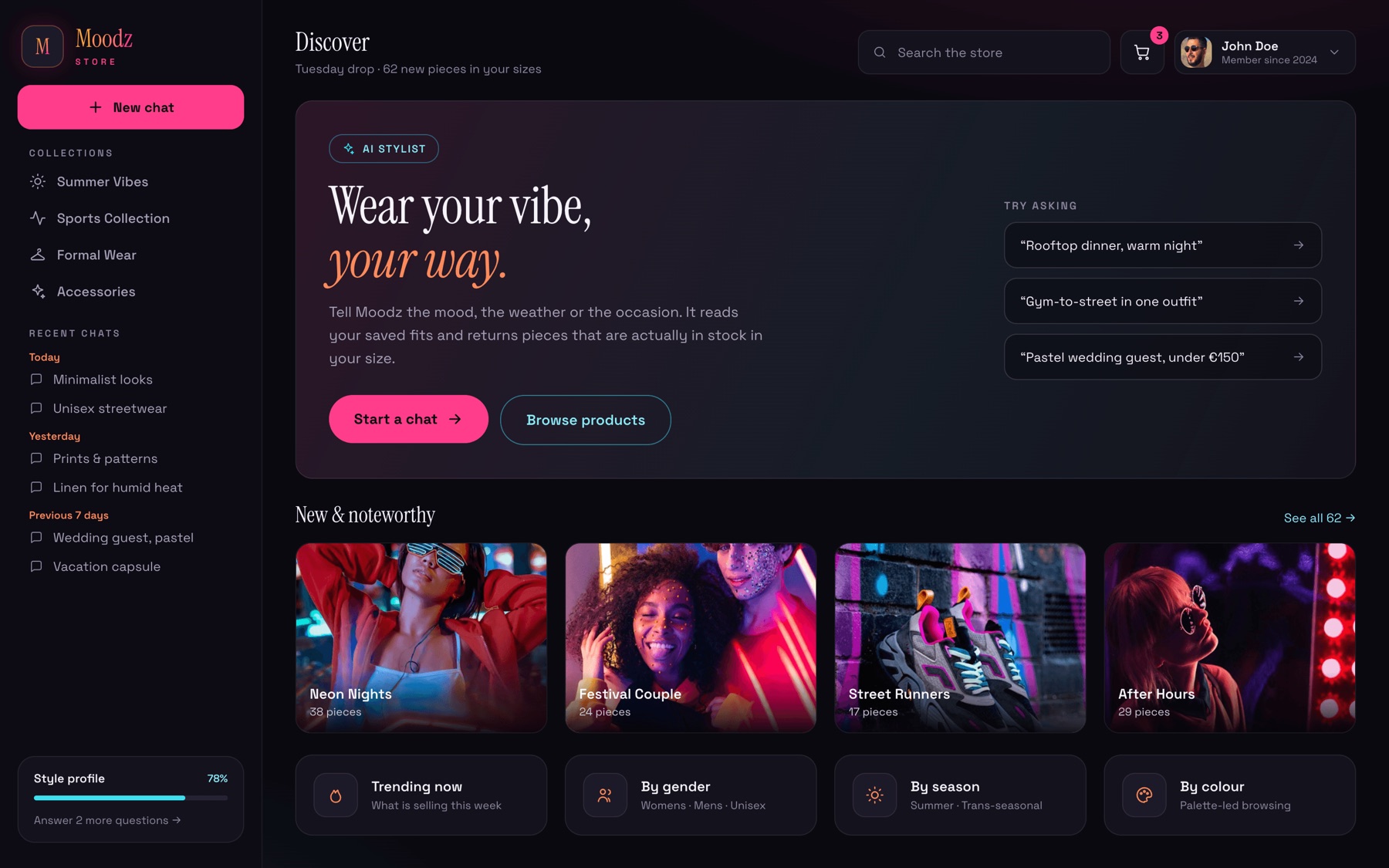
Moods on desktop — Discover
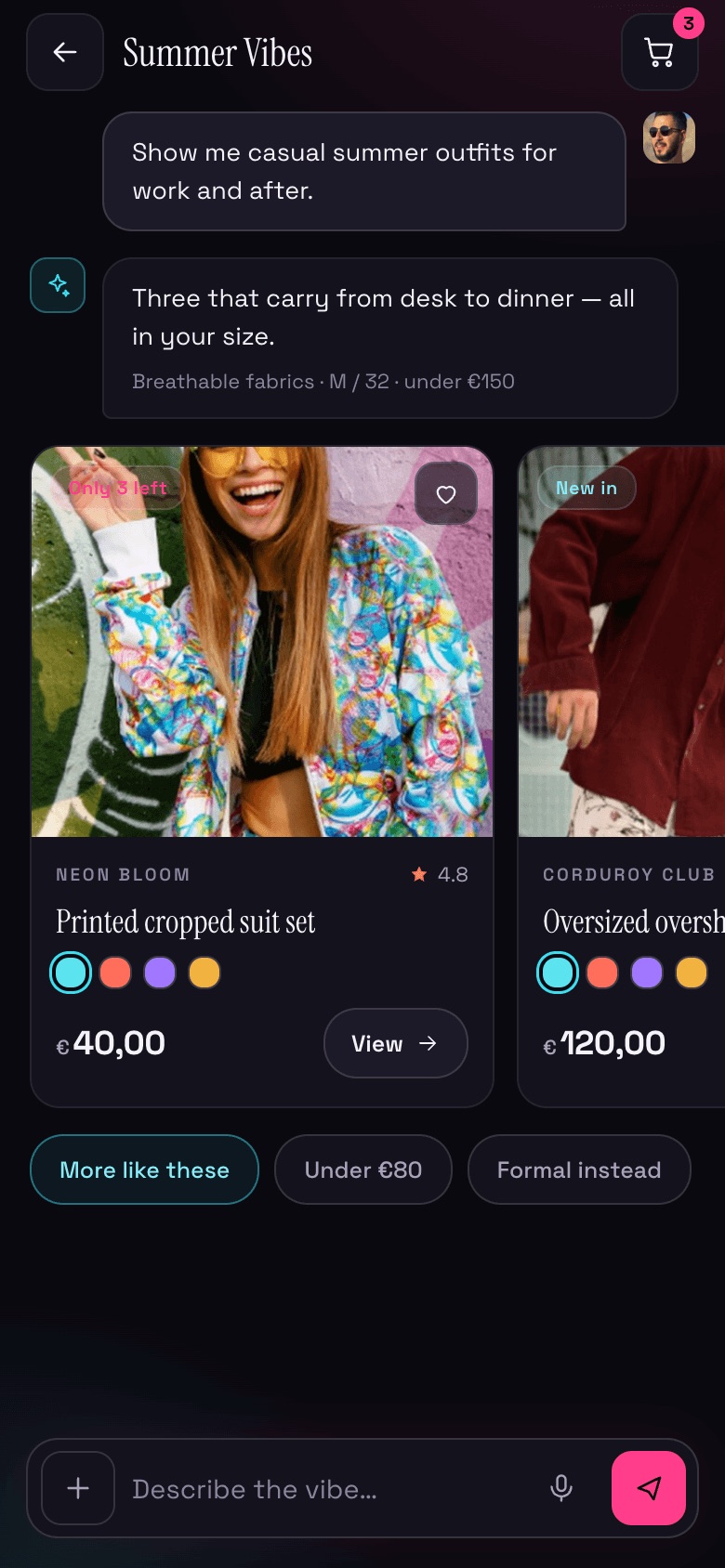
Moods on mobile — stylist suggestions
Overview

A store that talks back

Endless grids and filters ask shoppers to do the work of a stylist. Moods flips that. You describe a vibe, and an AI stylist assembles the look for you.

We designed a neon-lit storefront that doubles as a chat surface: browse mood tiles and trends, or open the stylist and let swipeable product cards come to you, recolor and restyle them live, then drop them straight into a cart that never breaks the flow.

We owned the experience and the front-end: the conversational UI, the product-card carousels, the live restyle controls and the checkout, all on a bold neon design language.

What we did

Conversational commerce, end to end

Conversational UX

Designed a chat that returns shoppable cards, quick-reply chips and a voice-friendly input bar.

Neon UI system

Built a glowing dark visual language (cyan, magenta, ember) that stays legible behind product imagery.

Front-end build

Implemented the card carousels, live restyle/recolor controls and the cart-to-checkout flow in React.

Browse & filter

Mood-led navigation by trend, gender, season and color/style so the store reads the room.

The screens

From a vibe to a placed order

Desktop

A sidebar keeps collections and past chats one click away; the stylist, product and cart live in the main canvas.
Moods desktop — Discover
01 · DiscoverHero, try-asking prompts & mood collections
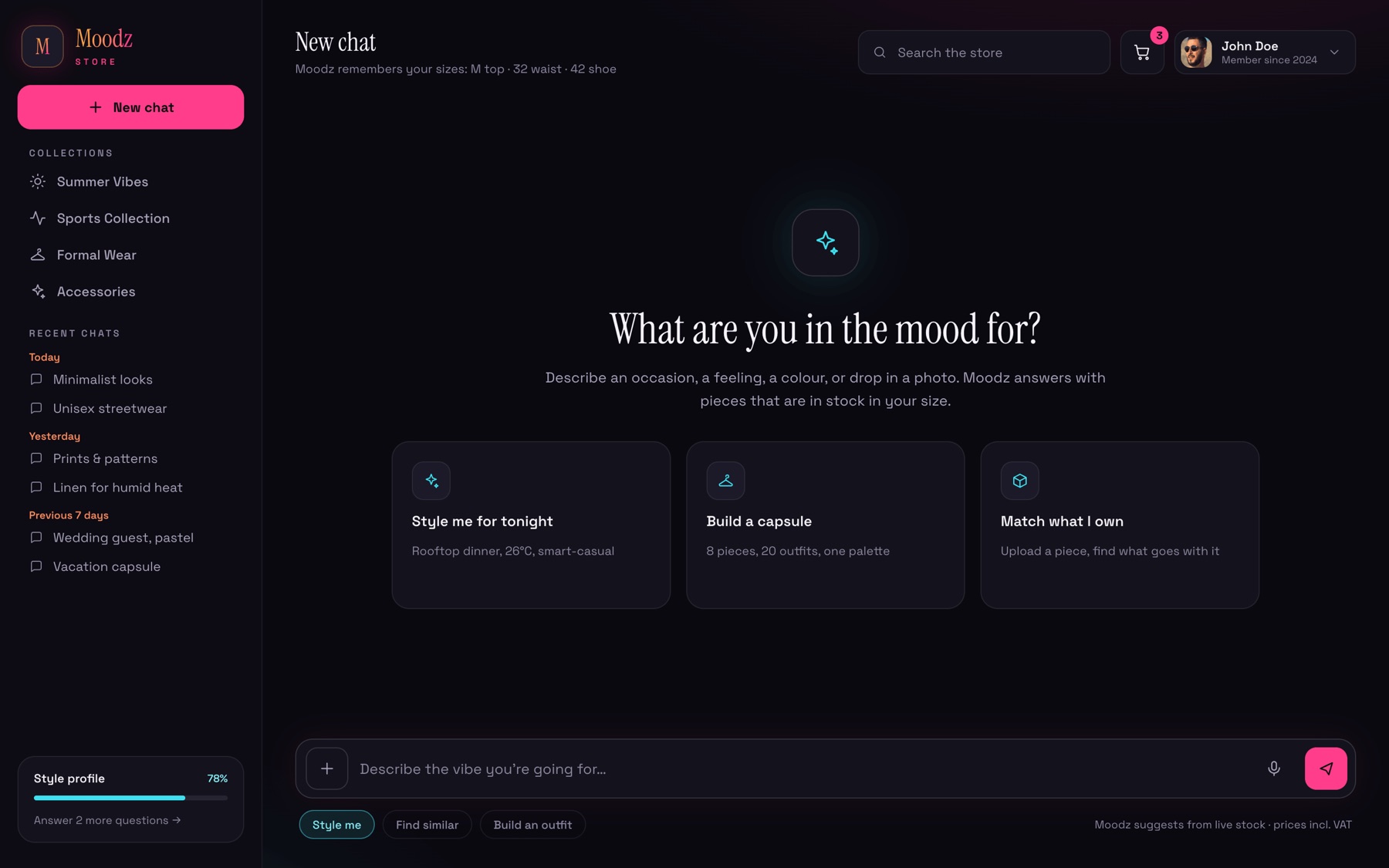
Moods desktop — New chat
02 · New chatStarter cards, sizes remembered
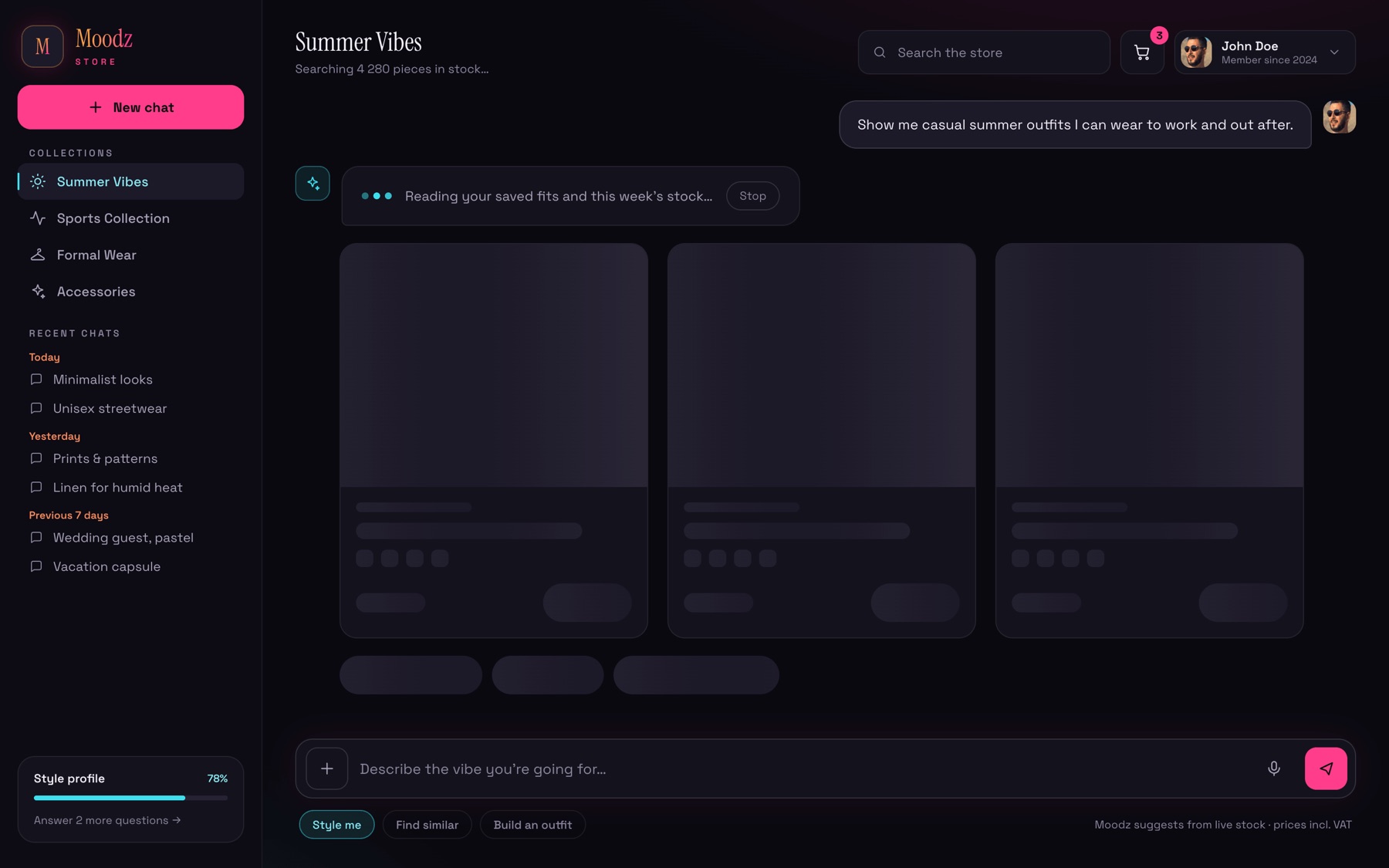
Moods desktop — Thinking
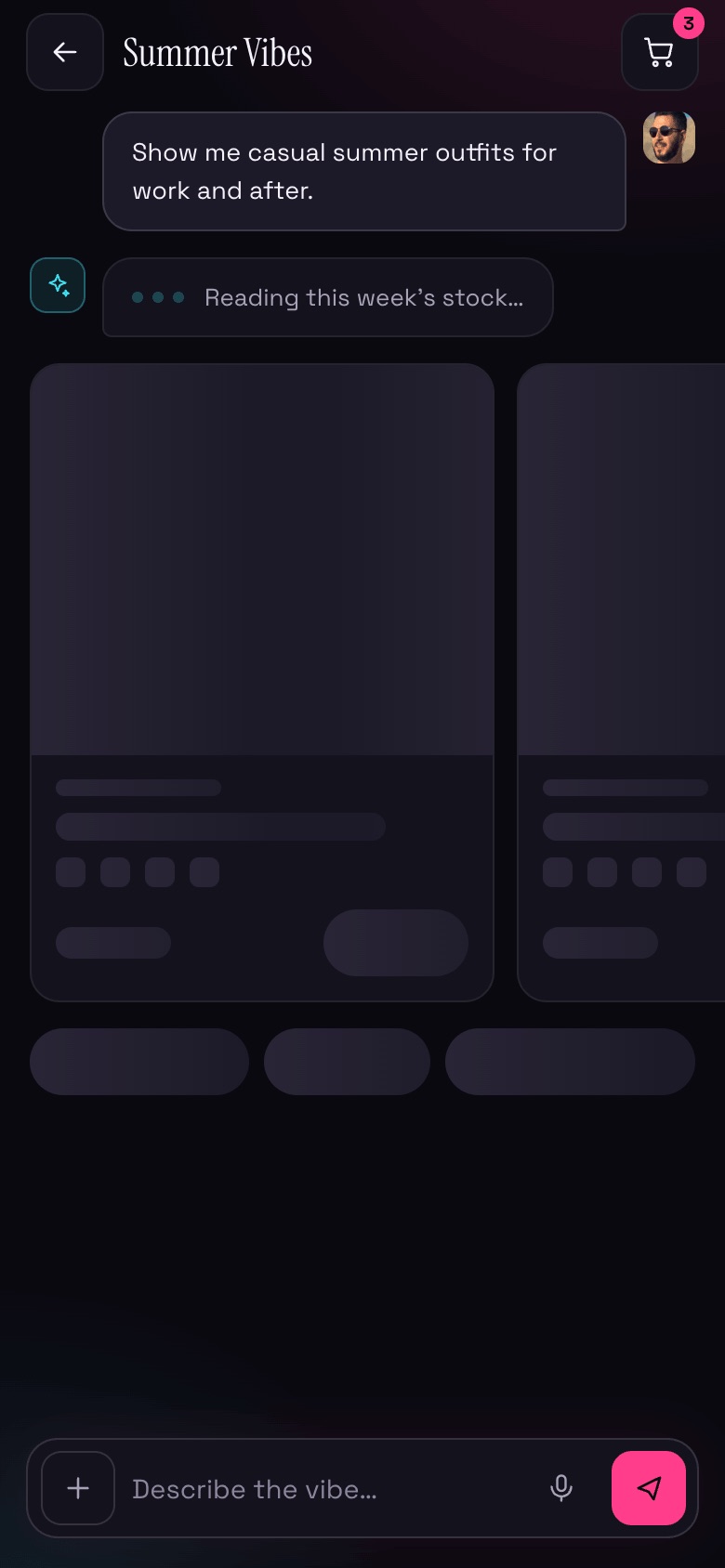
03 · ThinkingStreaming status & skeleton cards
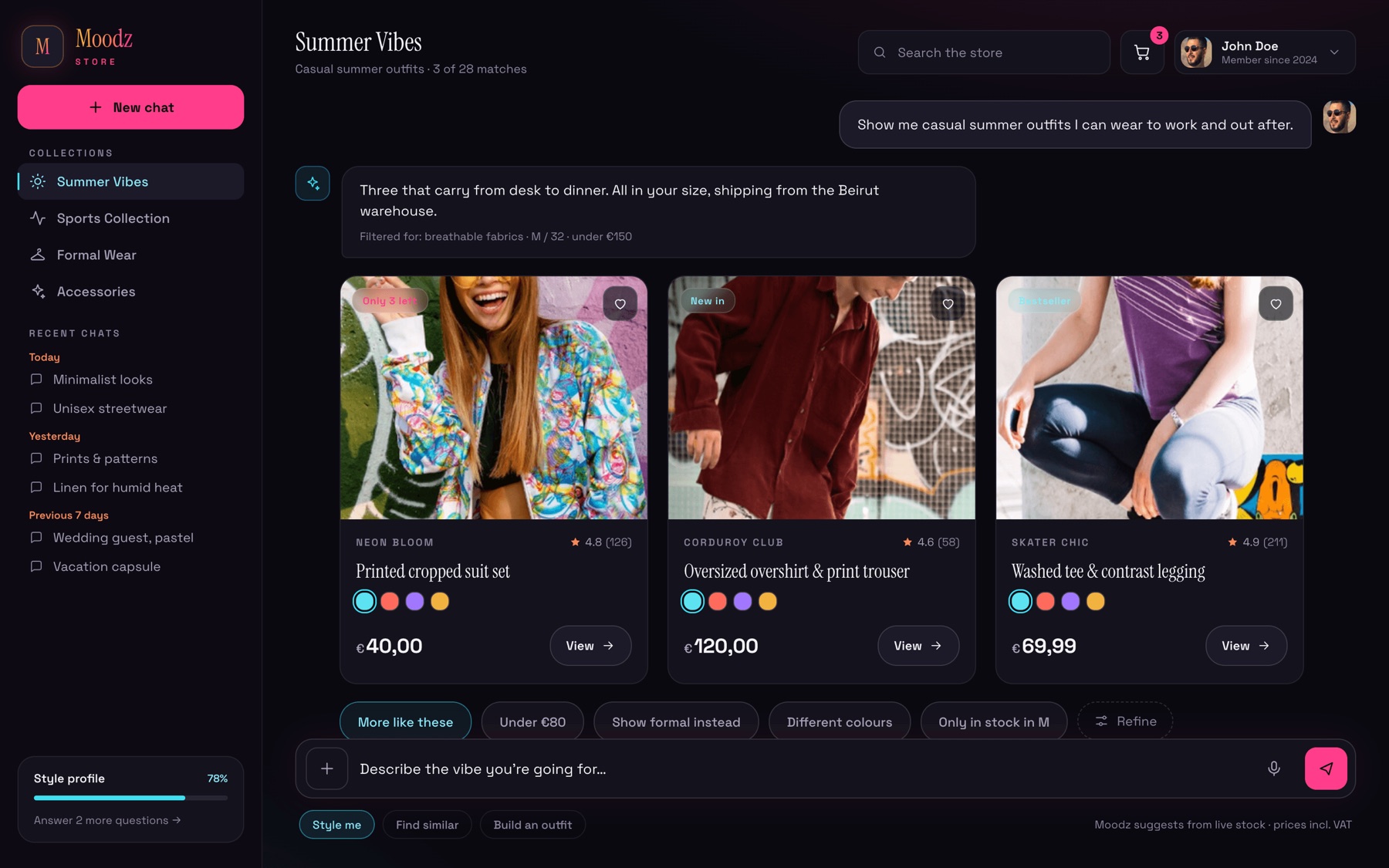
Moods desktop — Suggestions
04 · SuggestionsThree shoppable cards from one prompt
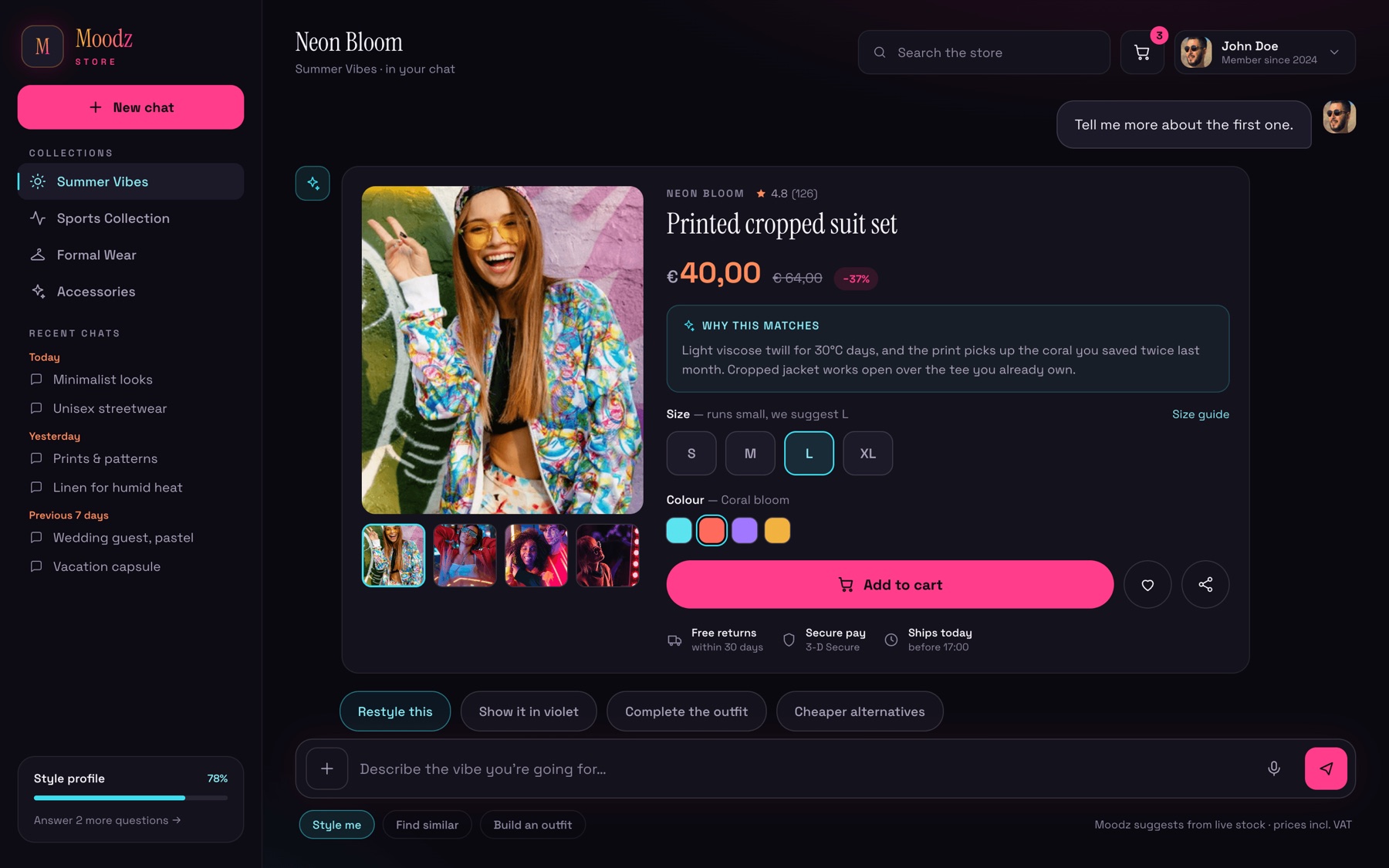
Moods desktop — Product
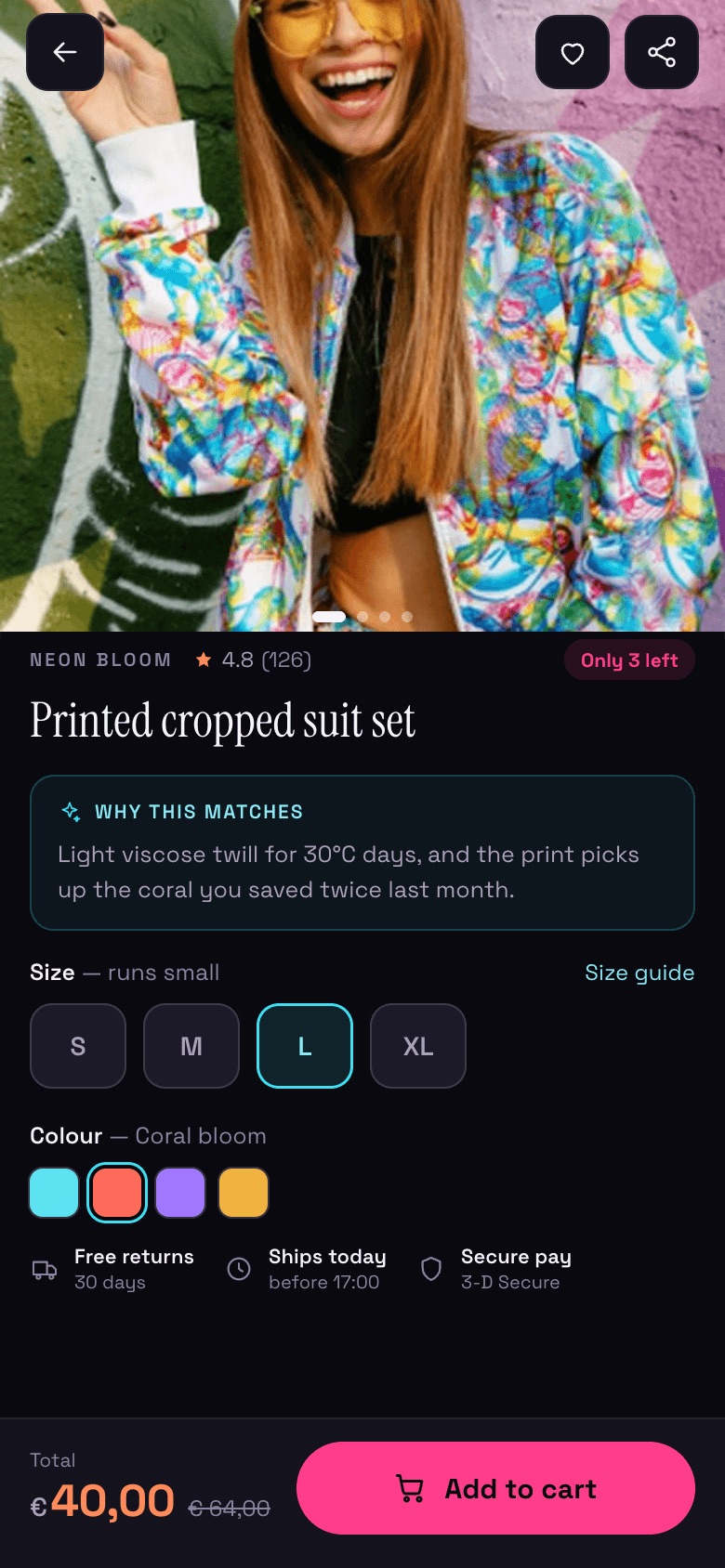
05 · ProductWhy it matches, size & colour
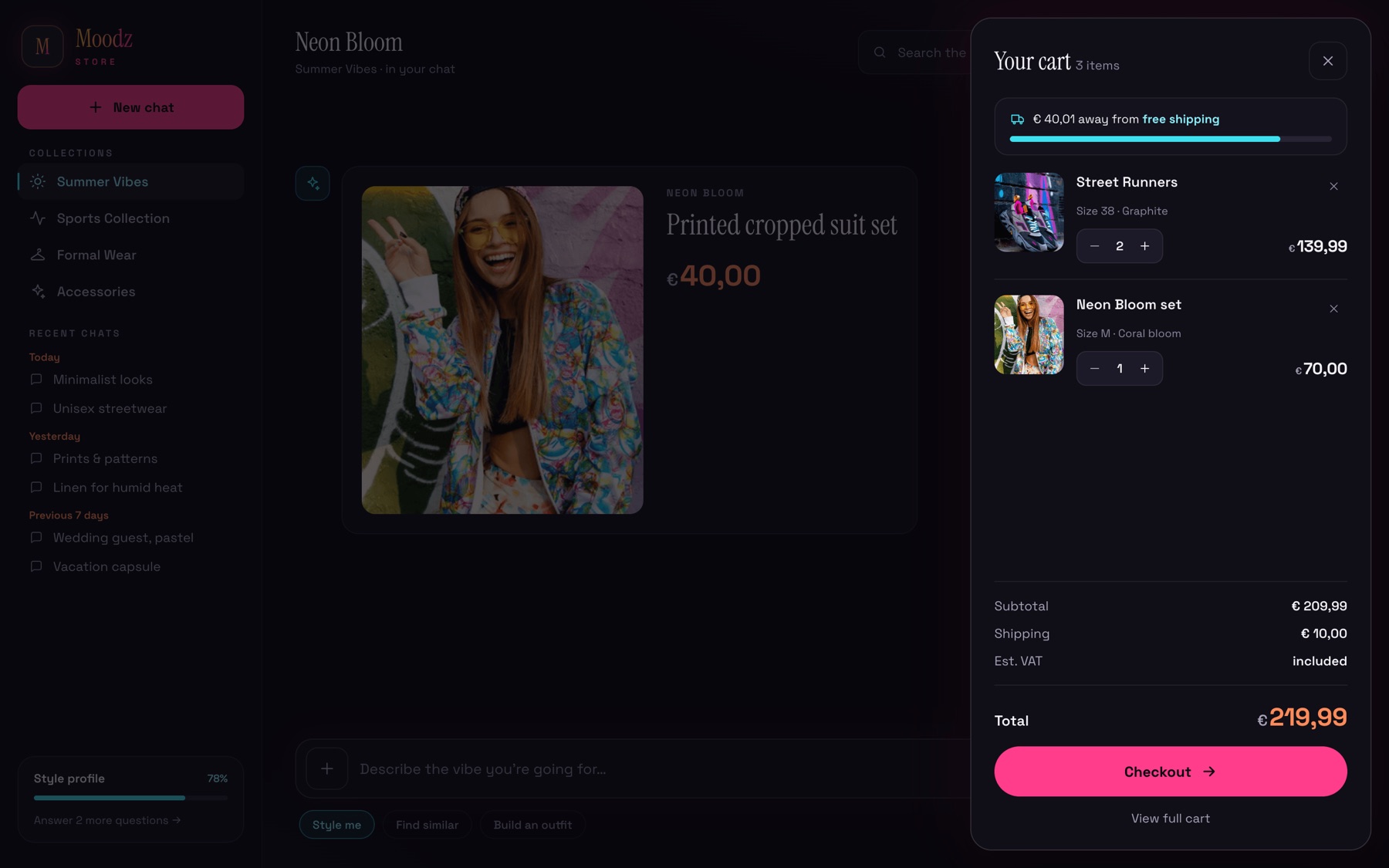
Moods desktop — Cart drawer
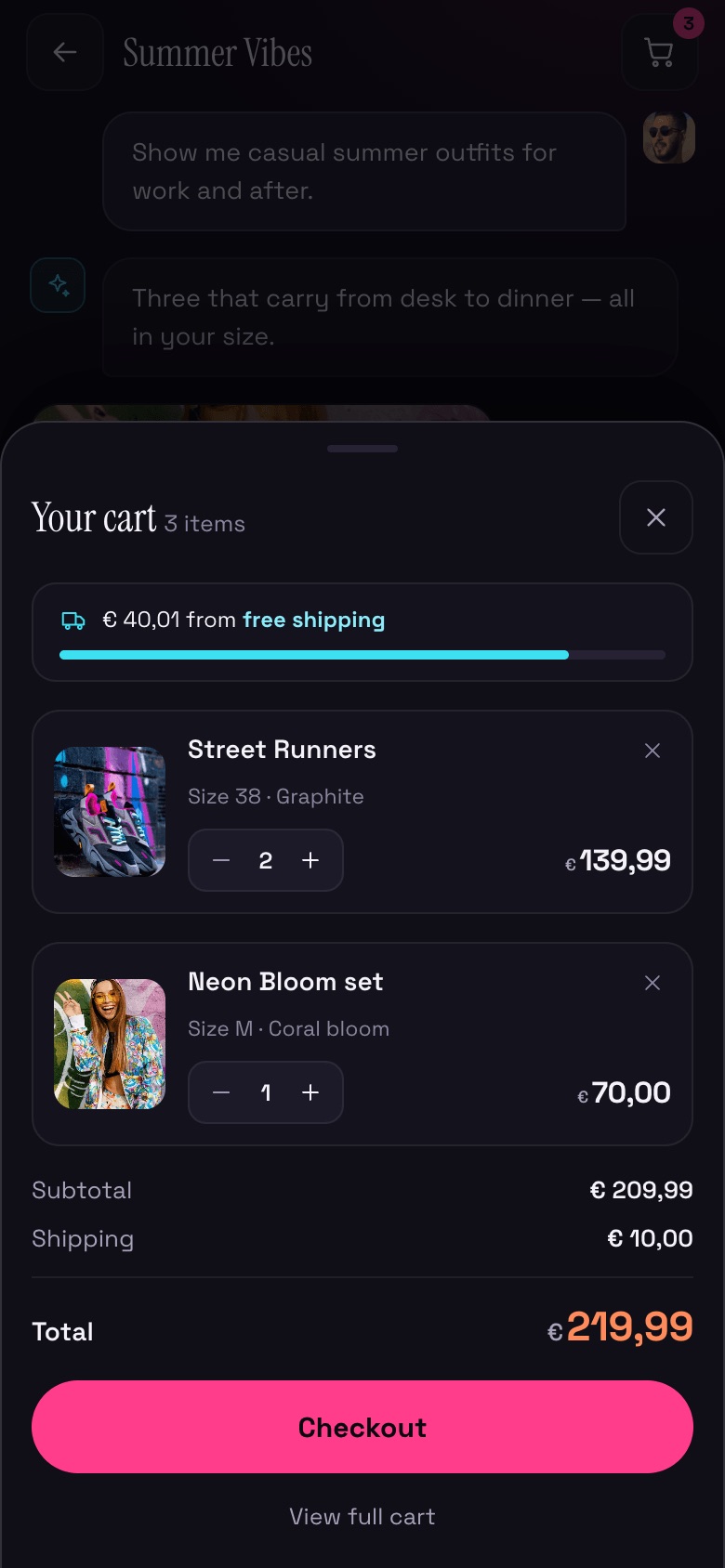
06 · Cart drawerAdjust without leaving the chat
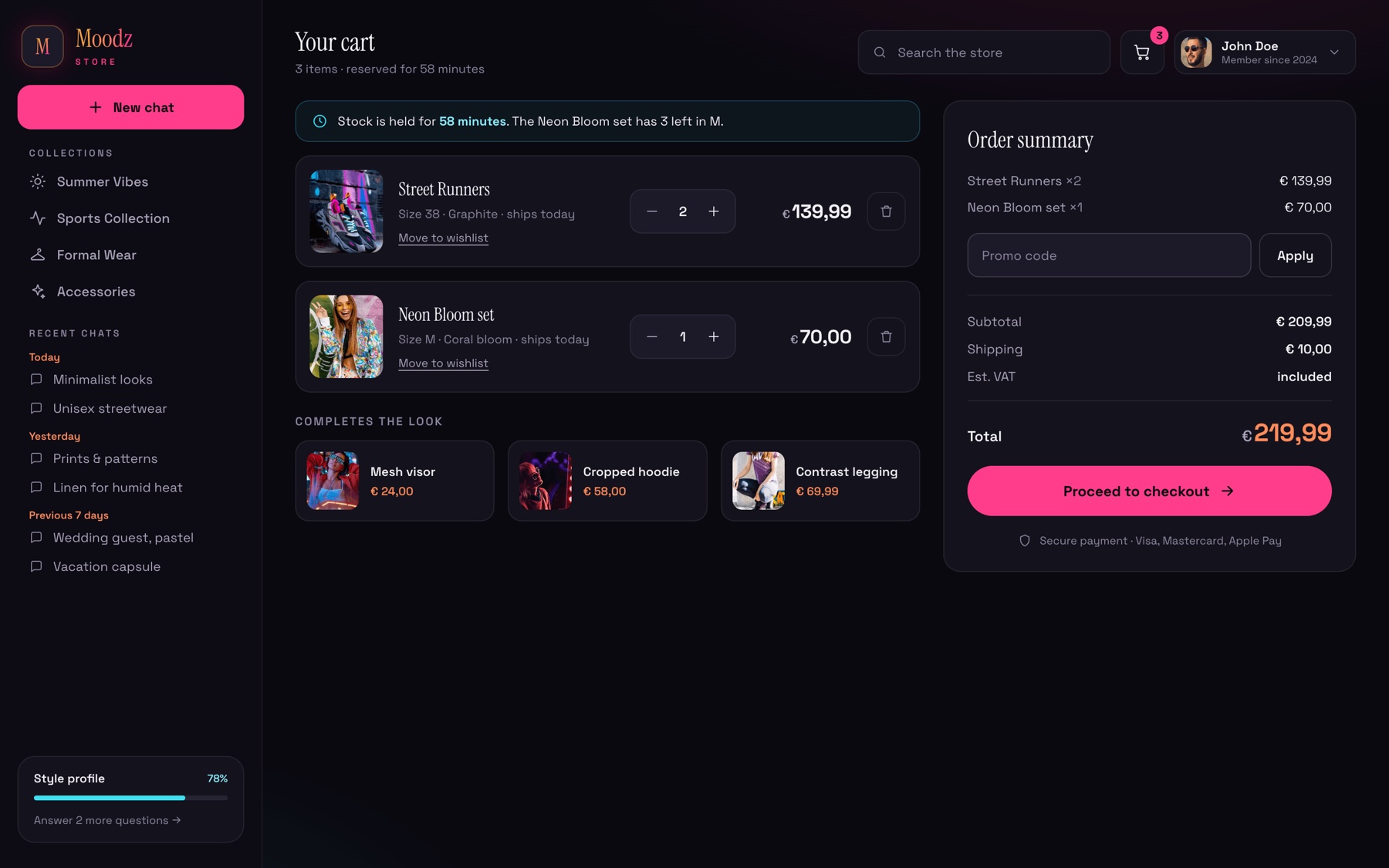
Moods desktop — Full cart
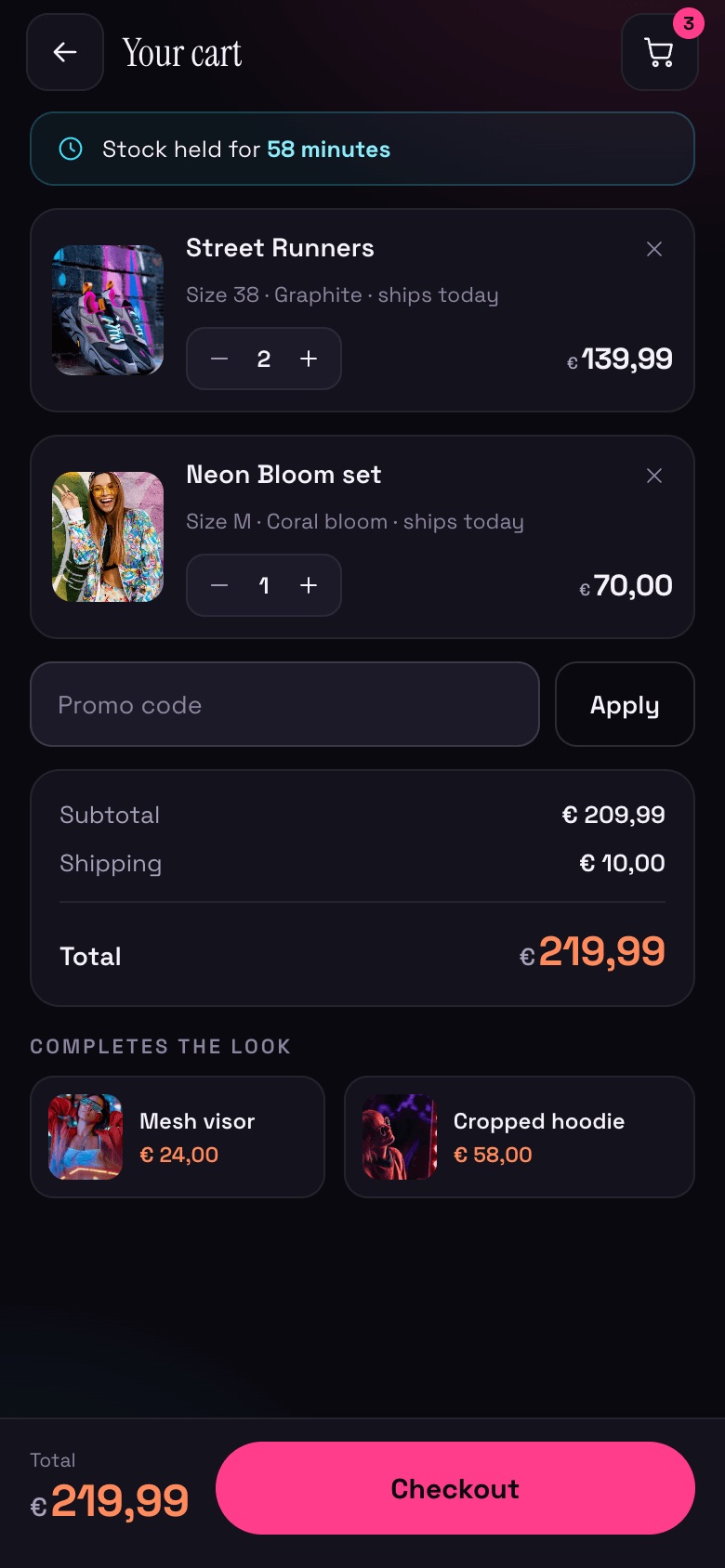
07 · Full cartStock hold, add-ons & summary
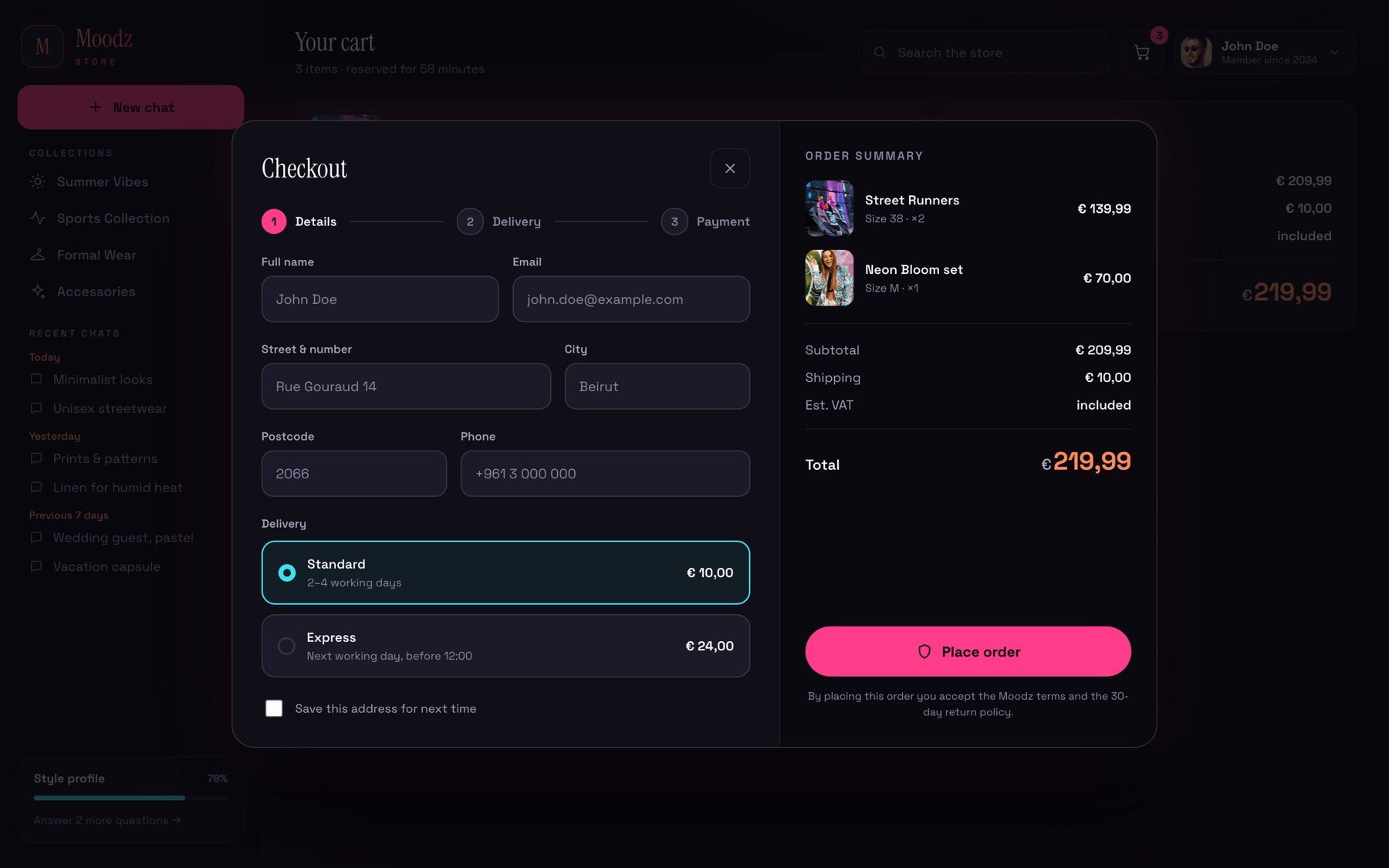
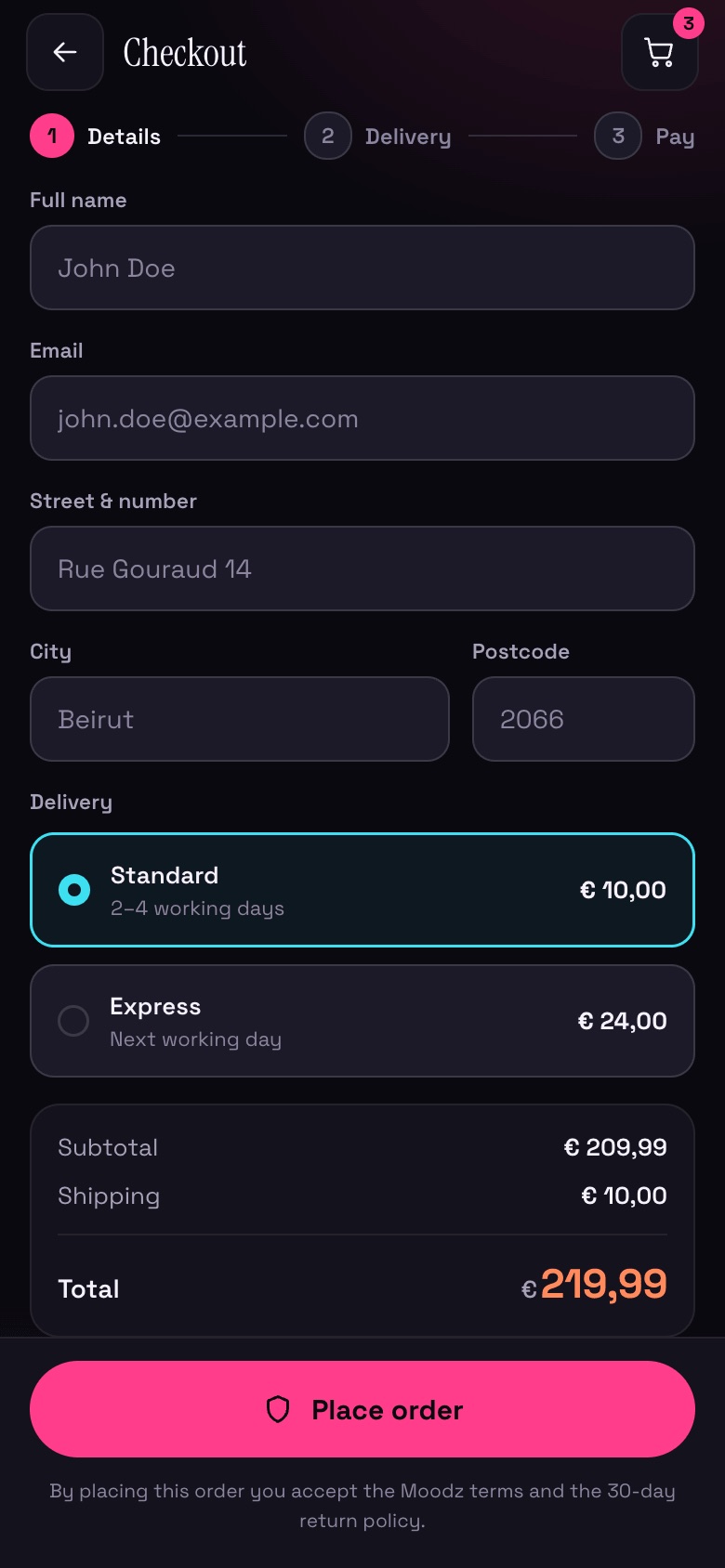
Moods desktop — Checkout
08 · CheckoutDetails, delivery, place order
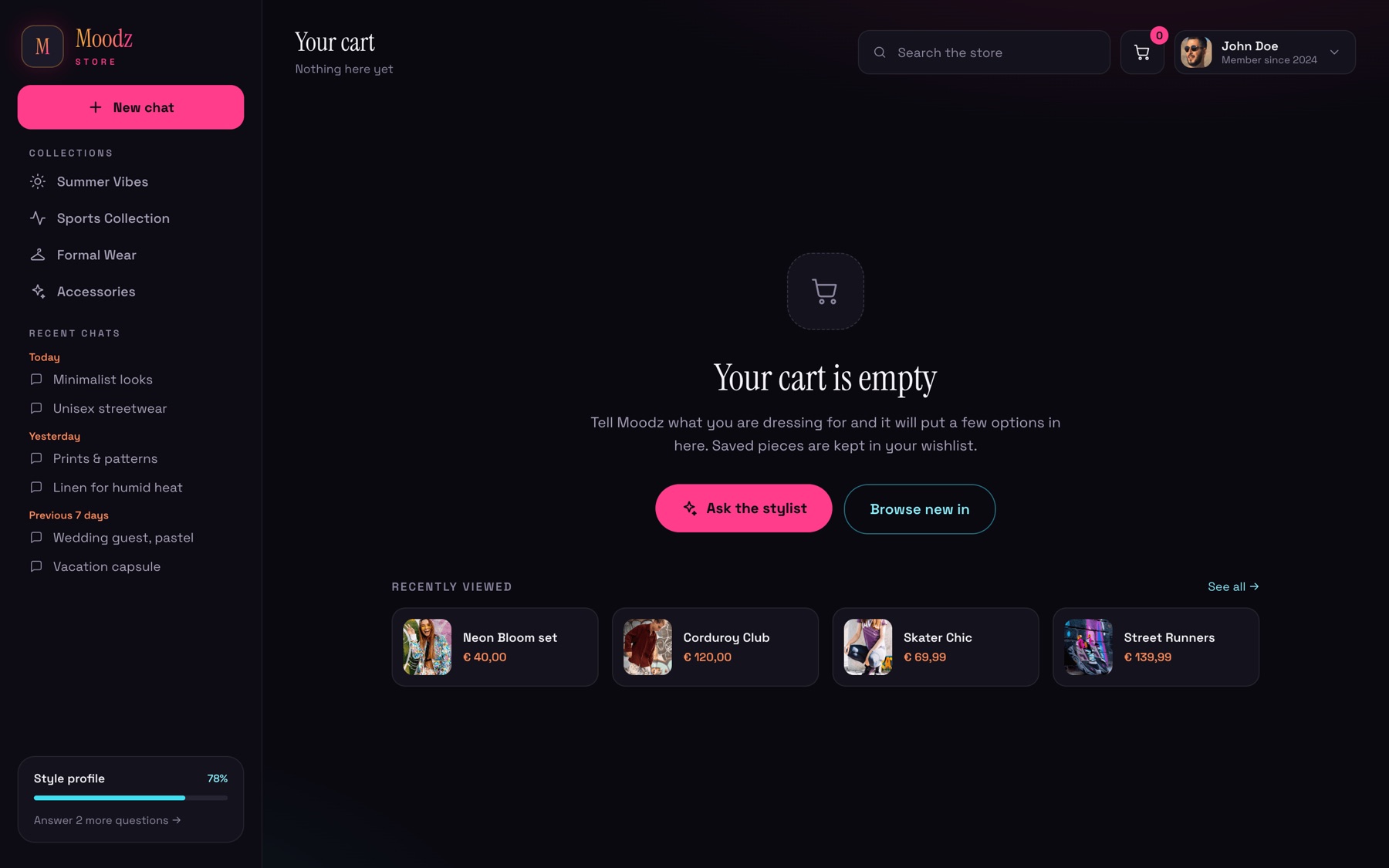
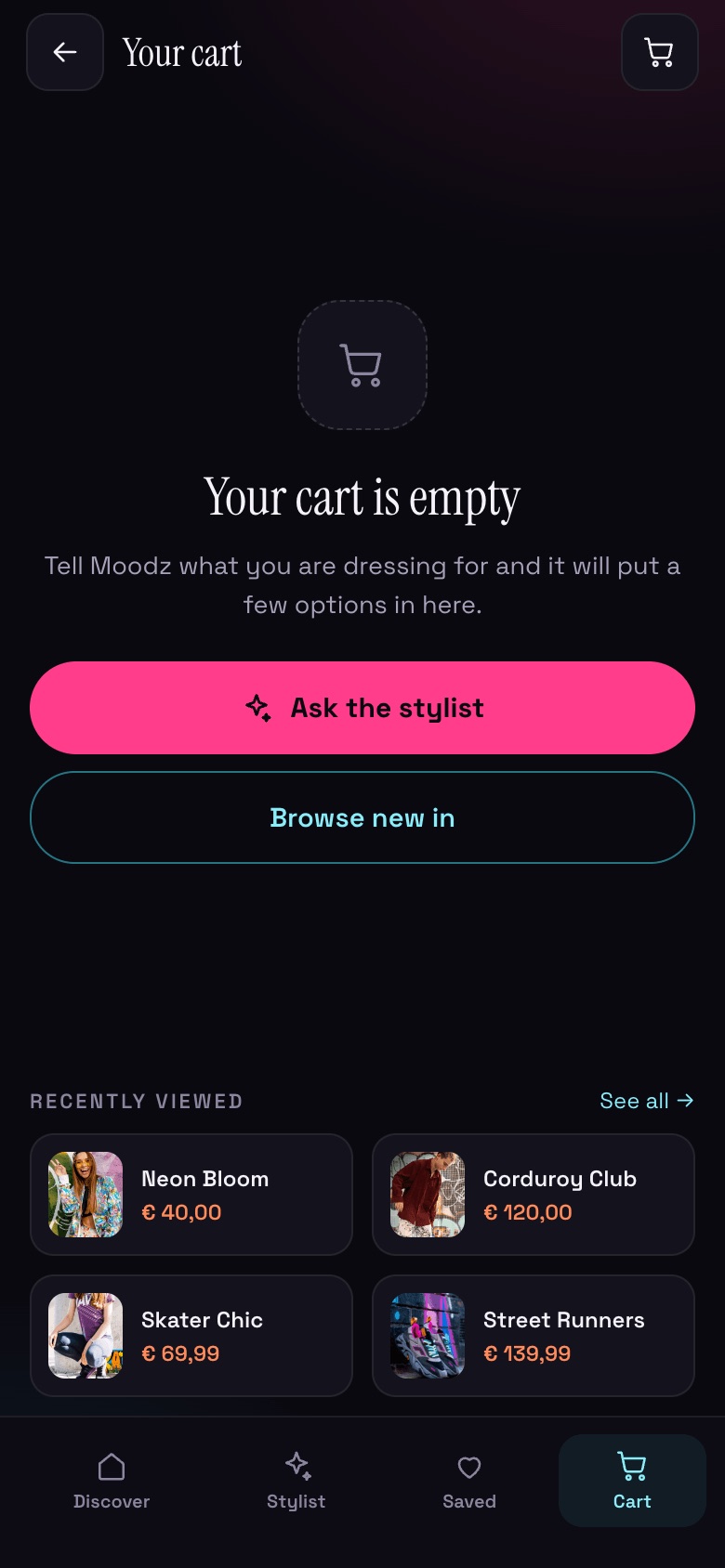
Moods desktop — Empty cart
09 · Empty cartRoutes back to the stylist
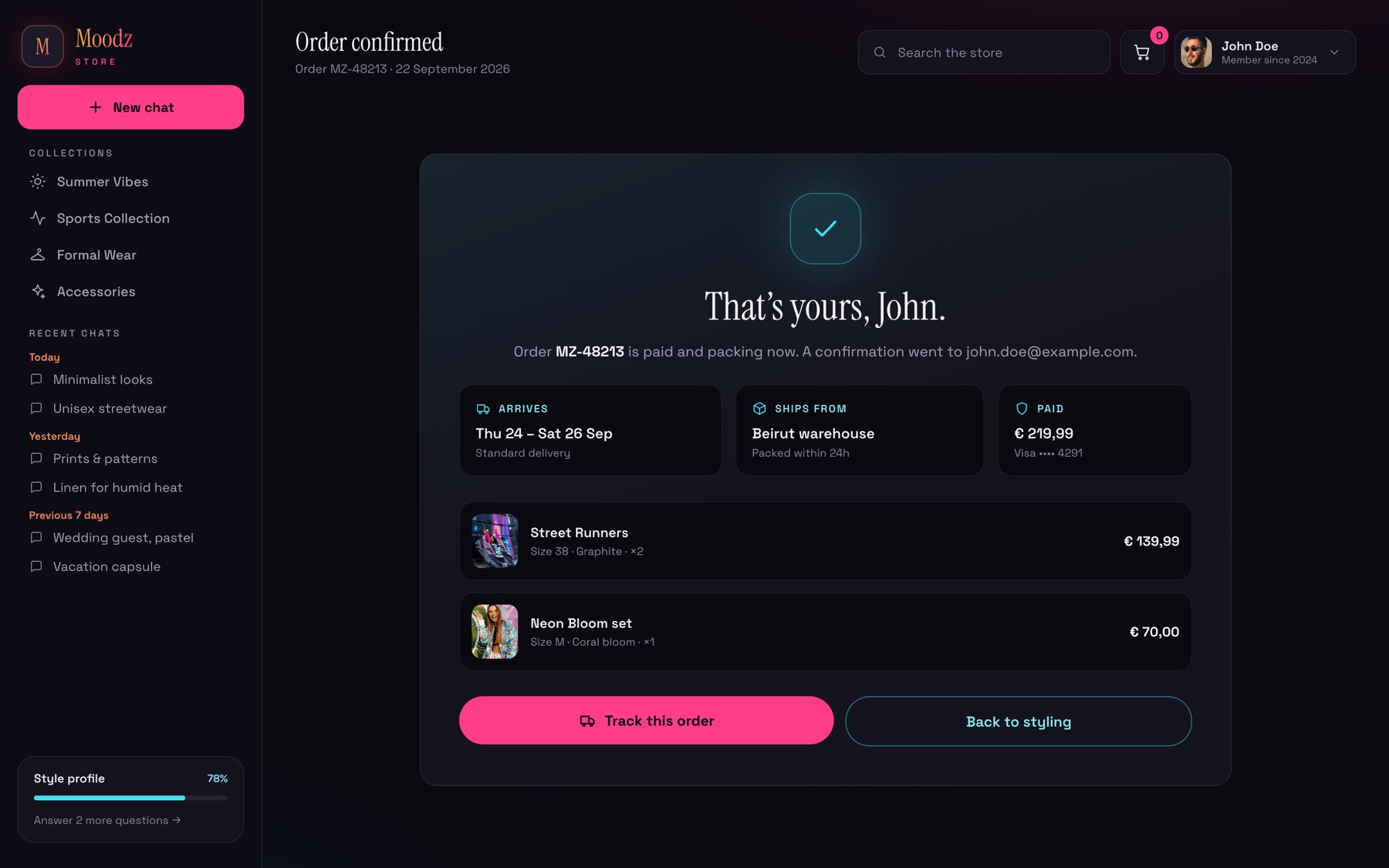
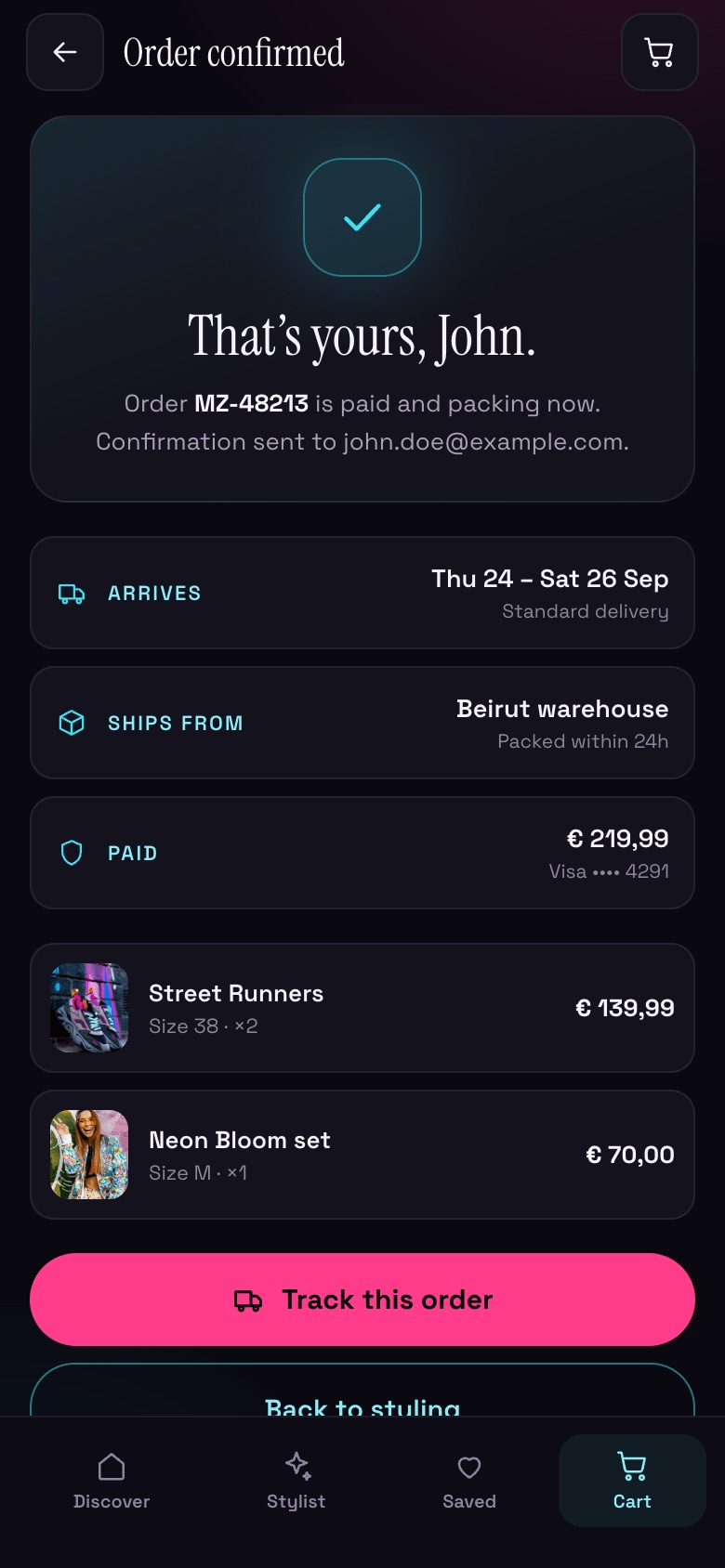
Moods desktop — Order confirmed
10 · Order confirmedArrival, warehouse & payment at a glance
Mobile

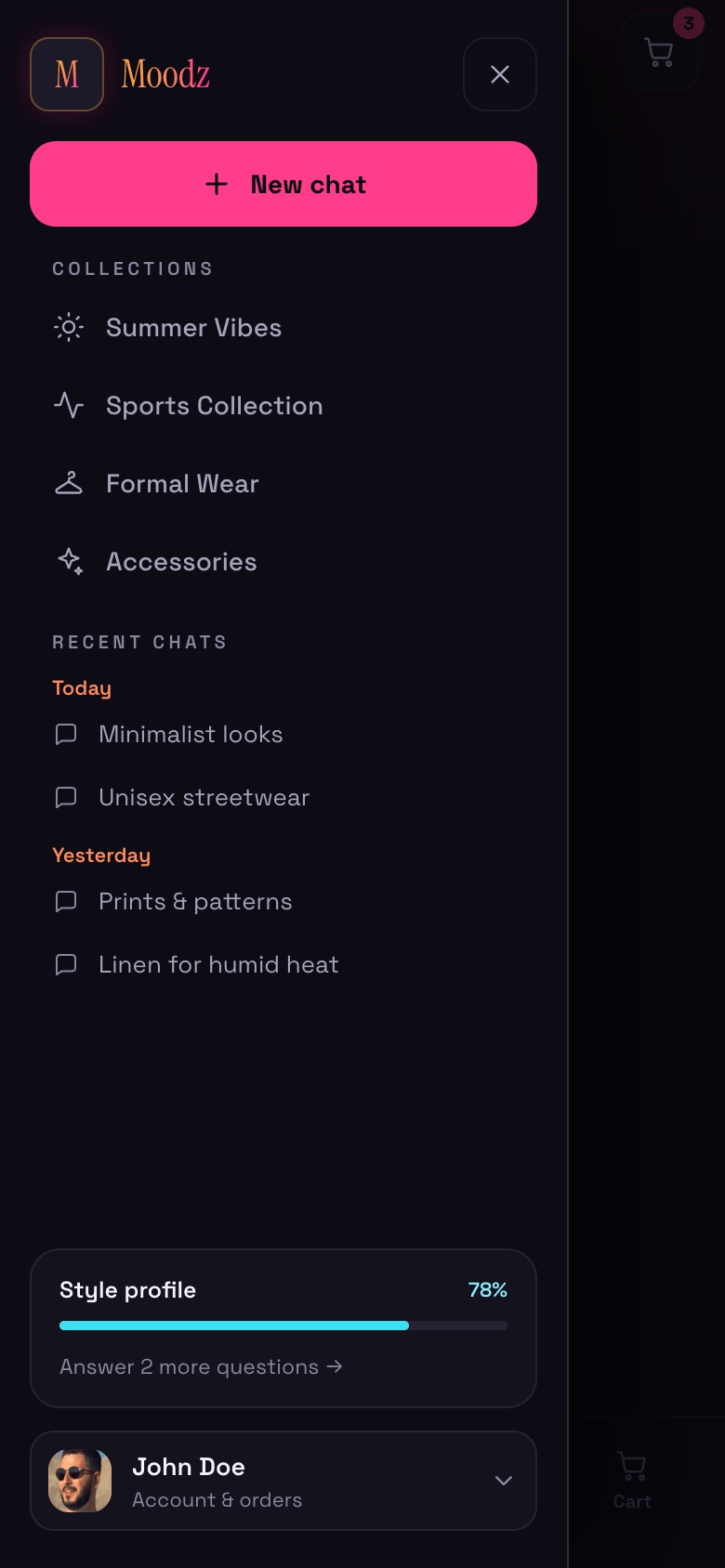
The same flow, rebuilt for one thumb: a tab bar replaces the sidebar, suggestions swipe, and the cart opens as a bottom sheet.
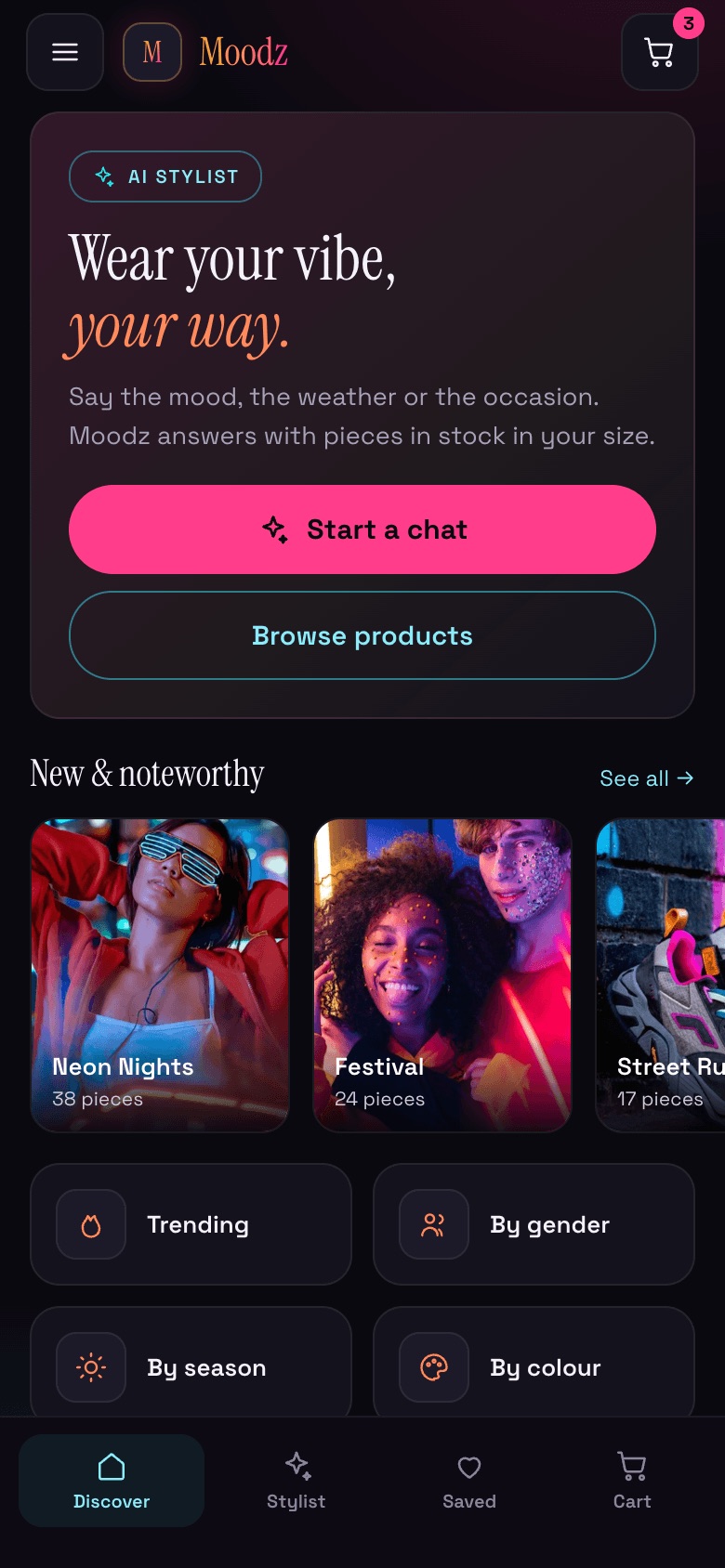
Moods mobile — Discover
01 · DiscoverStacked hero & tab bar
Moods mobile — Menu
02 · MenuCollections & chats in a drawer
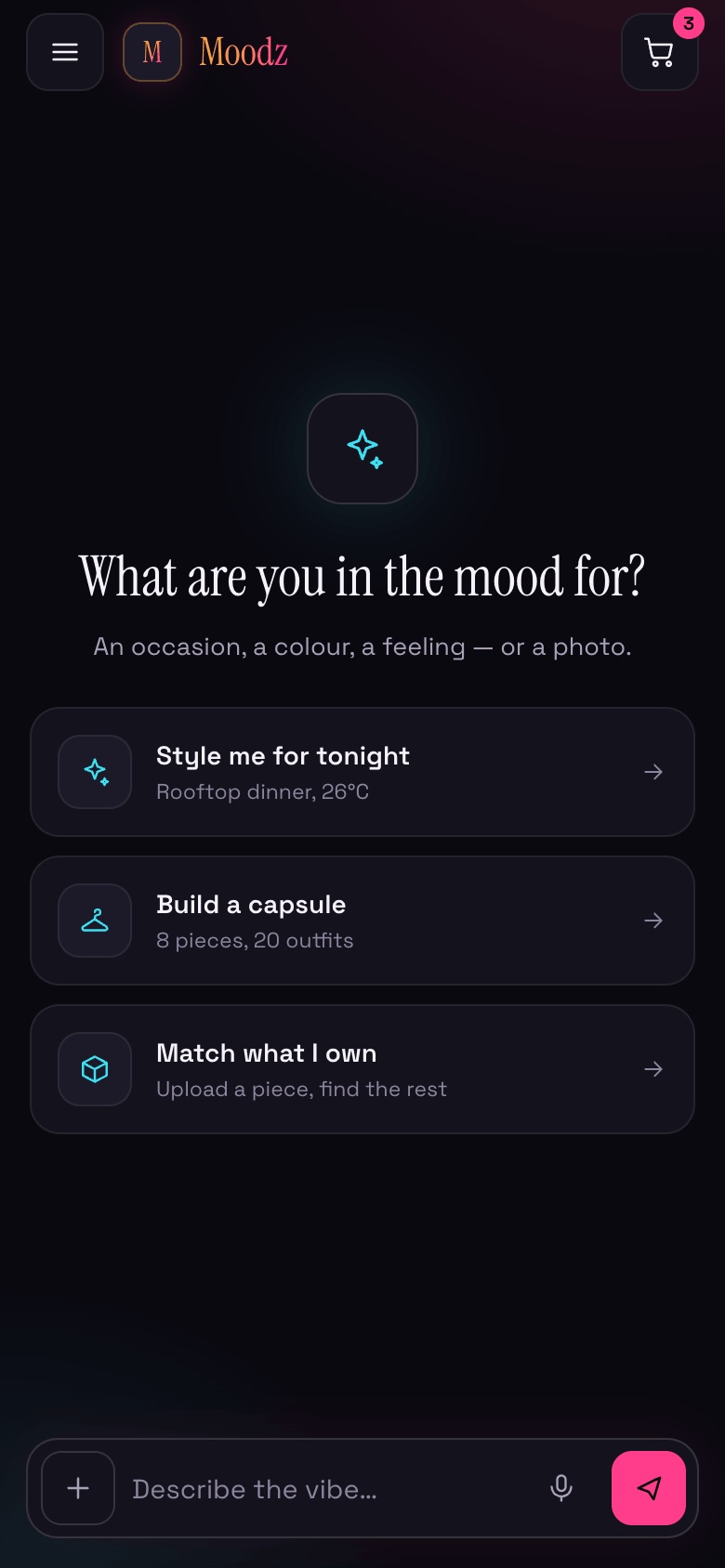
Moods mobile — New chat
03 · New chatStarters as tappable rows
Moods mobile — Thinking
04 · ThinkingSkeletons in a swipe rail
Moods mobile — Suggestions
05 · SuggestionsSwipeable product cards
Moods mobile — Product
06 · ProductFull-bleed gallery, sticky add
Moods mobile — Cart sheet
07 · Cart sheetBottom sheet over the chat
Moods mobile — Full cart
08 · Full cartSticky total & checkout
Moods mobile — Checkout
09 · CheckoutOne-column form
Moods mobile — Confirmed
10 · ConfirmedOrder details, stacked
Moods mobile — Empty cart
11 · Empty cartRecently viewed to restart
Live showcase

Shop the whole flow,
vibe to checkout.

See the storefront, the AI stylist and the cart on desktop and mobile, on the branded neon canvas.

Explore the showcase